DataGrip
DataGrip supports querying both internal data and external data in PhoenixAI.
Prerequisites
Make sure that your PhoenixAI cluster's inbound rules allow query requests from your DataGrip server.
Integration
Create a data source in DataGrip. Note that you must select MySQL as the data source.
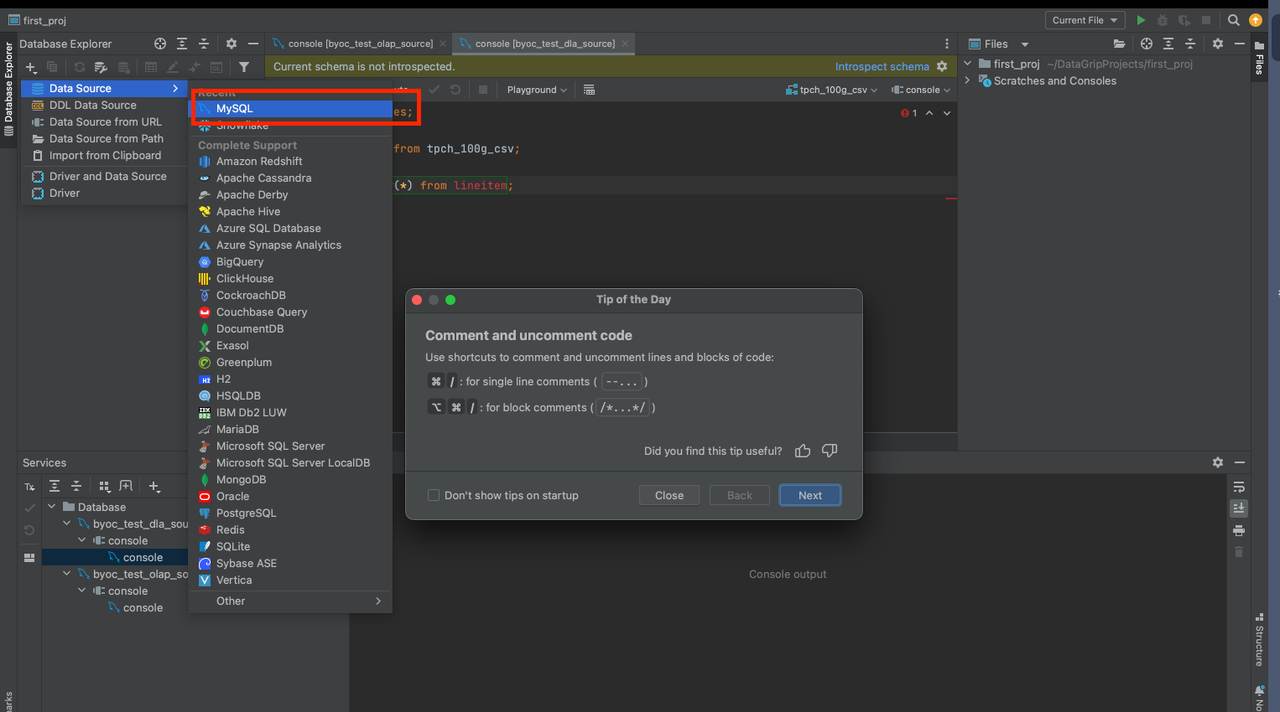
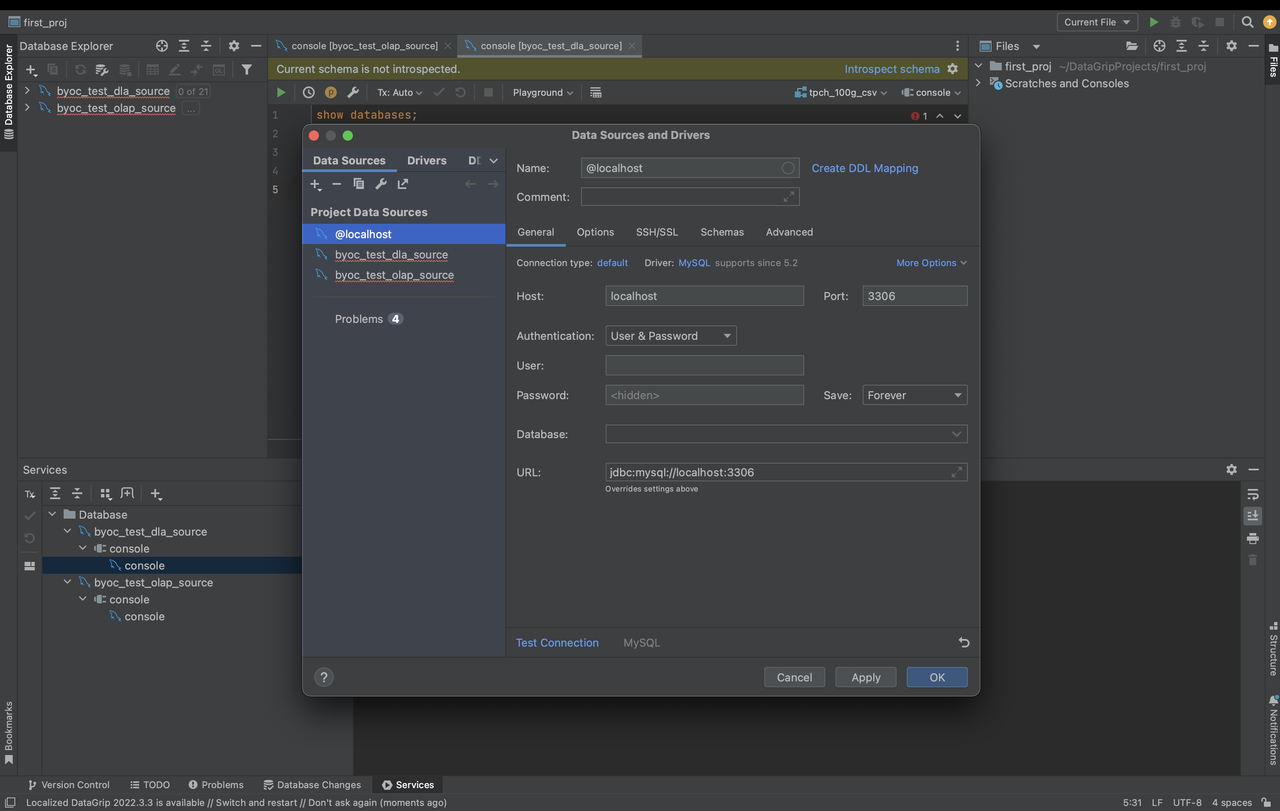
The parameters that you need to configure are described as follows:
- Host: the endpoint of your PhoenixAI cluster.
- Port: the query port of your PhoenixAI cluster, for example,
9030. - Authentication: the authentication method that you want to use. Select Username & Password.
- User: the username that is used to log in to your PhoenixAI cluster, for example,
admin. - Password: the password that is used to log in to your PhoenixAI cluster.
- Database: the data source that you want to access in your PhoenixAI cluster. The value of this parameter is in the
<catalog_name>.<database_name>format.catalog_name: the name of the target catalog in your PhoenixAI cluster. Both internal and external catalogs are supported.database_name: the name of the target database in your PhoenixAI cluster. Both internal and external databases are supported.