ANALYZE PROFILE
ANALYZE PROFILE analyzes a specific query profile on a per-fragment basis, and displays it in a tree structure. For more information about query profile, see Query Profile Overview.
This feature is supported from v3.1 onwards.
CAUTION
By default, no privilege is required to perform this operation. If the FE configuration item
authorization_enable_query_profile_access_checkis set totrue, a user can analyze only the profiles of the queries they ran, and analyzing the profile of a query run by another user requires the SYSTEM-level OPERATE privilege.
Syntax
ANALYZE PROFILE FROM '<query_id>', [<plan_node_id>[, ...] ]
Parameters
| Parameter | Description |
|---|---|
| query_id | The ID of the query. You can obtain it using SHOW PROFILELIST. |
| plan_node_id | The ID of the plan node in the profile. You can specify this parameter to view the detailed metrics of the corresponding plan node(s). If this parameter is not specified, only the summary metrics of all plan nodes are displayed. |
Examples
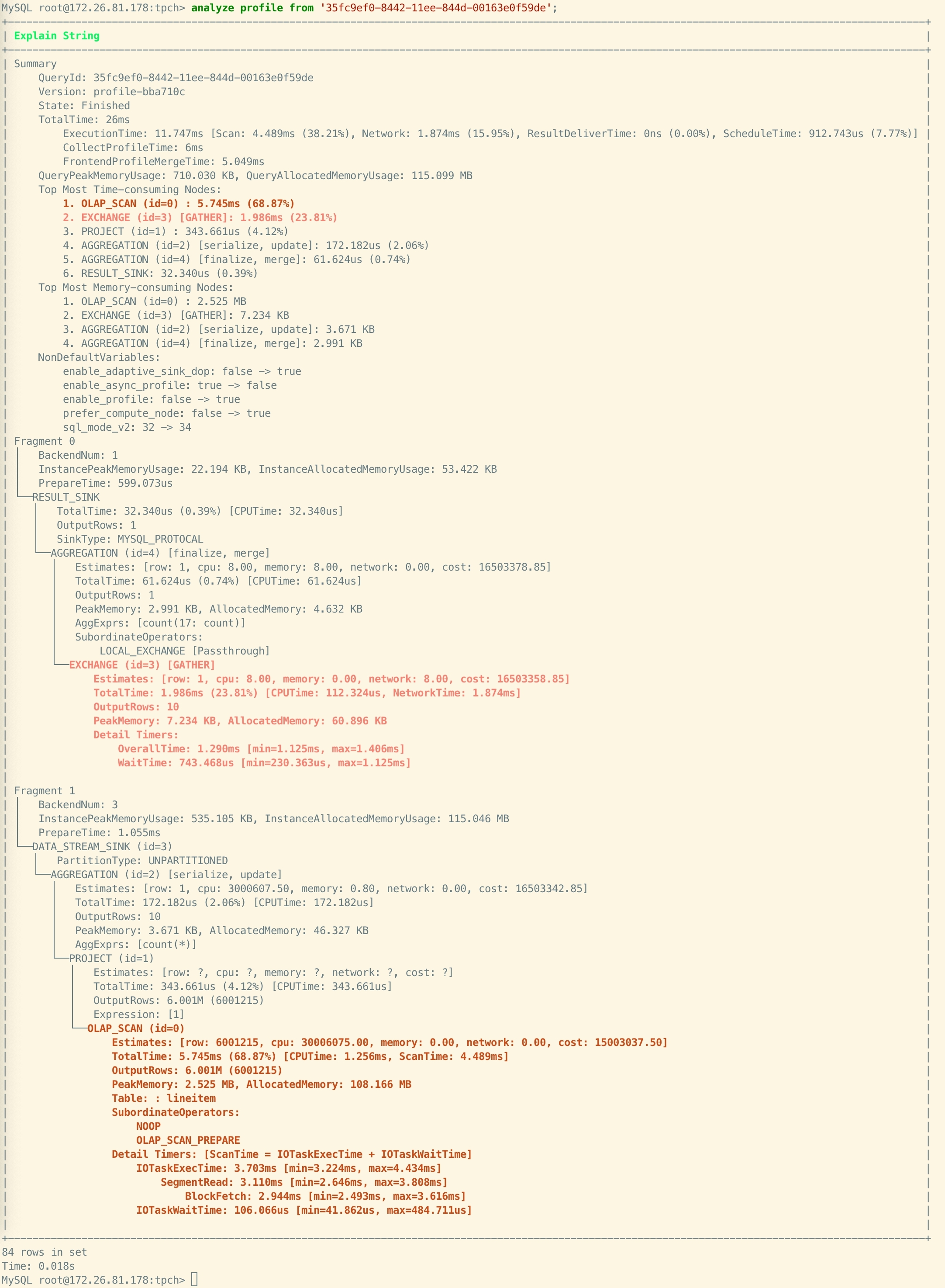
Example 1: Querying the Query Profile without specifying node ID.
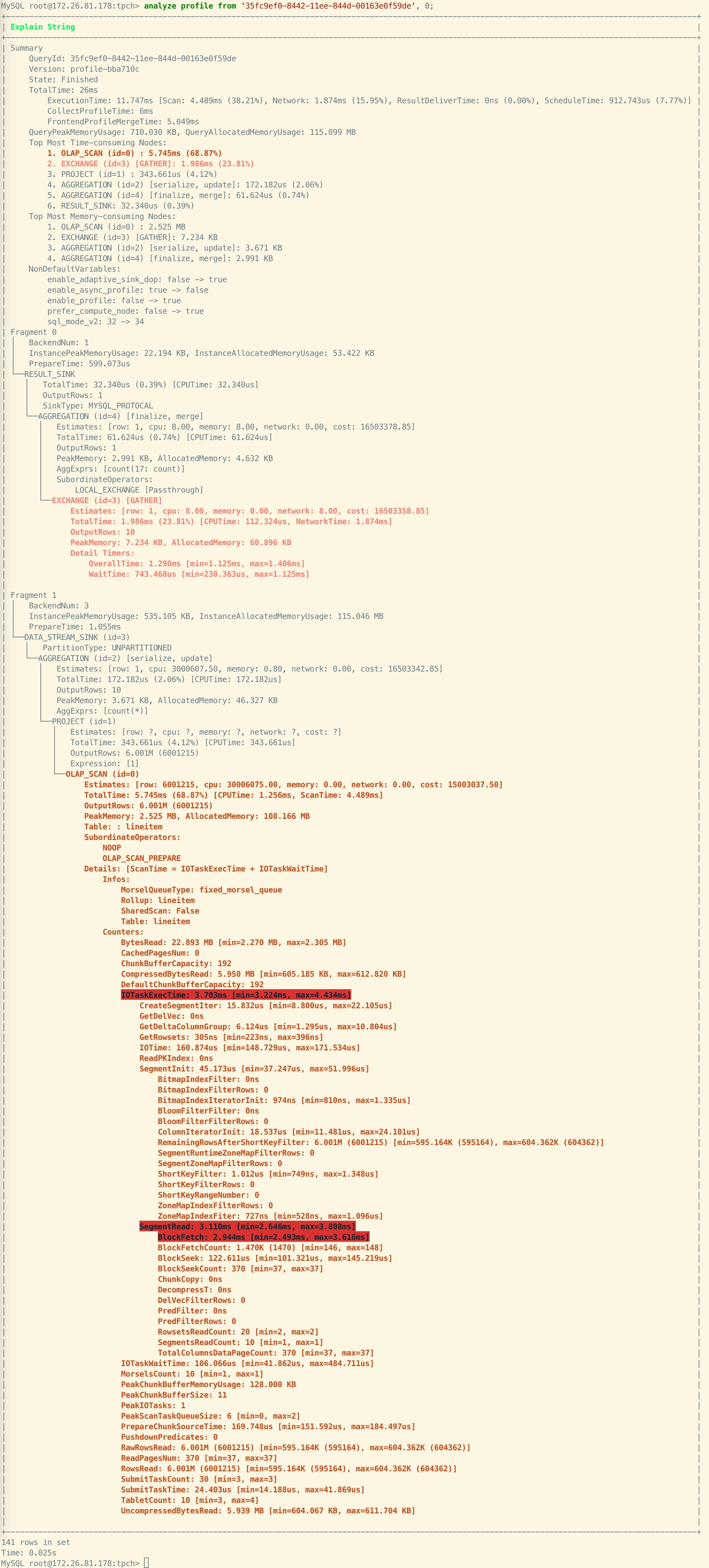
Example 2: Querying the Query Profile and specifying node ID as 0. StarRocks returns all detailed metrics for Node ID 0 and highlights metrics with high usage for easier problem identification.